Maxwell Board Meeting

Monday, June 21, 6:00 to 8:00 PM
Via Zoom

NOTE: Due to the COVID-19 protocols, this meeting is to be held virtually via Zoom. Visitors should email director@maxwellmemoriallibrary.org no later than 5 PM, Friday, June 18, with a request to attend. A Zoom meeting invitation will be emailed to them.

The Maxwell Memorial Library Board of Trustees meets on the third Monday of the month at 6 PM unless stated otherwise. The annual meeting is held in October. The Board does not meet in December.

The public is welcome to attend. If you would like to address the board or request that a topic be put on the agenda, please contact the library director at director@maxwellmemoriallibrary.org at least two weeks before the meeting. The agenda is posted online one week before.

Maxwell Board meeting

Monday, May 17, 6:00 to 8:00 PM
Via Zoom

NOTE: Due to the COVID-19 protocols, this meeting is to be held virtually via Zoom. Visitors should email director@maxwellmemoriallibrary.org no later than 5 PM, Friday, May 14, with a request to attend. A Zoom meeting invitation will be emailed to them.

The Maxwell Memorial Library Board of Trustees meets on the third Monday of the month at 6 PM unless stated otherwise. The annual meeting is held in October. The Board does not meet in December.

The public is welcome to attend. If you would like to address the board or request that a topic be put on the agenda, please contact the library director at director@maxwellmemoriallibrary.org at least two weeks before the meeting. The agenda is posted online one week before.

Maxwell Library Board meeting

Monday, April 19, 6:00 to 8:00 PM
Via Zoom

NOTE: Due to the COVID-19 protocols, this meeting is to be held virtually via Zoom. Visitors should email director@maxwellmemoriallibrary.org no later than 5 PM, Friday, April 16, with a request to attend. A Zoom meeting invitation will be emailed to them.

The Maxwell Memorial Library Board of Trustees meets on the third Monday of the month at 6 PM unless stated otherwise. The annual meeting is held in October. The Board does not meet in December.

The public is welcome to attend. If you would like to address the board or request that a topic be put on the agenda, please contact the library director at director@maxwellmemoriallibrary.org at least two weeks before the meeting. The agenda is posted online one week before.

Maxwell Board meeting

Monday, March 15, 6:00 to 8:00 PM
Virtual via Zoom

Due to the COVID-19 protocols, this meeting is to be held virtually via Zoom. Visitors should email director@maxwellmemoriallibrary.org no later than Friday, March 12, 2021 by 5 PM with their request to attend.

A Zoom meeting invitation will be emailed to them.The Maxwell Memorial Library Board of Trustees meets on the third Monday of the month at 6 PM unless stated otherwise. The annual meeting is held in October. The Board does not meet in December. The public is welcome to attend. If you would like to address the board or request a topic to be put on the agenda, please contact the library director at director@maxwellmemoriallibrary.org at least two weeks before the meeting.

The agenda is posted online one week before.

Tech Program: Dealing with Zoom audio

The video for this program is available on Maxwell’s YouTube Tech Channel.

Here is a transcript of the program:

What might cause echoing or whistling

So today’s video’s gonna be fairly short. I just want to talk about how to deal with audio issues that come up when you have more than one device in basically the same room or close proximity to each other.

You might ask, “Well, why would you do that?” if you haven’t already experienced this. Sometimes it that… Say you’re in a family Zoom meeting or something like that, and everybody in the household is on their own device and wants to be in the same room.

Well, the difficulty you can get from that is that because everything’s got a mic and everything’s got a speaker, the sound comes out of the speakers and goes into the mic[s]. Now if you’re just on 1 device, Zoom takes care of that because it basically… your mic… the programming is such that (I’m not sure of the details, but) basically it can ignore the sound that’s coming from your speaker (If you’re not the speaker, it may just turn off your mic, I don’t know), but in any case the sound from your speakers is not going into your mic or at least your mic is not transmitting it to the rest of the meeting, and so you don’t get the feedback from that.

But if you’ve got more than 1 device, that safety is off,1 so you’re going to get feedback. I’ll give you an example of that now.

[Clip with unintelligible echoing speech and chirping from feedback]

That showed some of the aspects of that feedback where you’ve got echoing in what you’re saying, and so it becomes hard to understand, if not impossible to understand. And then when it gets enough, you start to get a whistling from the feedback of the general noise.

So you don’t want that.

How to solve the problem… kinda

So there are a couple,… a few solutions.

One is… everybody in separate rooms. And that certainly works.

Another is everybody shares 1 device. Y’know, sort of all crowd onto the couch or whatever and everybody’s in the same camera and can look at the same screen.

But there is another possibility if everybody… if more than 1 device is desired in this meeting, and that is to disconnect the audio [on all devices except for 1].

Now a sort of simple solution that sometimes works is just to turn the volume as far down [as you can] or off on all the devices but 1. And that often works. The difficulty with it is that the microphones are still active, so they’re still feeding things back into the meeting. The Zoom delay probably means that that [the low volume level being picked up by the mics of devices you’re not speaking directly into] won’t make much of a difference (though if you’re in the same room it might): if little enough sound is coming out of your speakers [and you’re not speaking into any “inactive” mics], it’s not gonna cause problems (or generally won’t: you might get the occasional whistle from feedback and then move on).

How to solve the problem… really

So that’s 1 option: Just turn the volume all the way down. What I’m gonna show you, though, is how to disconnect the audio. Now I’m gonna be showing it on an Android, but other systems have a similar way within Zoom to just disconnect the audio from Zoom.

So let’s look at this [clip].

Audio from clip is echoing. Its content is:

So on an Android,

  1. Bring up More settings
  2. You want to go to Disconnect Audio

Echoing ends

And voilà! So now there’s… so now the Android is not… there’s no sound coming out of it, there’s no… it’s not picking up on any sound. All the sound is going through my laptop, which is still connected [for audio].

So what I was saying as I was disconnecting the audio was probably a bit hard to understand. So let’s look at that [clip] again with the [clip’s] audio off from the meeting, and I’ll walk through the steps to disconnect the audio there.

Clip with original audio deleted but with added narration:

  1. We touch the screen to bring up the controls
  2. Then we touch the More… the 3 dots labeled More
    That brings up the control… more controls
  3. We touch Disconnect Audio

And now the audio’s gone.

So that’s how to disconnect audio completely on a device [from within] Zoom.

OK, till next time, Bye!

Notes

1. I realized that my wording might give the mistaken impression that Zoom is detecting 2 devices and turning something off. What I meant by the “safety” being off was that if you have 2 or more devices close to each other and all are logged into the meeting, then even though Zoom still doesn’t feed sound from any 1 device’s speakers back through that device’s microphone, it doesn’t coordinate the collection of devices. The result is that the sound from each device’s speakers can get to the microphone of the others, and then the sound does get fed back into the meeting audio.


Image credit:
Derived from 50Hz sine by Sogning
License: Public Domain

Tech Program:
Goin’ to meetin’ — Joining (and leaving) a Zoom meeting

The video is available on our YouTube Tech Channel

Here is a loose transcript (actually the script I tried to work from):

Introduction

In the previous program, I showed you how to get the Zoom app onto your computer or mobile device by going to the appropriate store for mobile devices or to Zoom’s website for computers.

Today, I’ll go over how to join a Zoom meeting using a link, how to join the meeting if the link doesn’t work, and how to leave a meeting.

So let’s get started.

Joining from a link

Quite often, the invitation to a Zoom meeting is an e-mail you get from the meeting organizer. The email has a hot link to the meeting along with the ID and passcode for the meeting

Clicking on the link is the easiest way to join the meeting.

The first time that you use Zoom, your browser or email app will need permission to open the Zoom app.

Here we’re seeing a few types of the dialog boxes you could get. There are from Chrome, Safari, and Firefox.

Click the appropriate button, and the Zoom app will open and take you to the meeting.

Video, Sound, and getting let in

After Zoom opens, there are a couple steps to go through.

First you’ll need to choose whether to join with video or not. This only affects whether video is on as you join.

Whichever way you come into the meeting, you can still turn video on or off during the course of the meeting.

The default is to join with video, which is why that button has the eye-catching blue color.

So now you’ve joined the meeting.

Sort of.

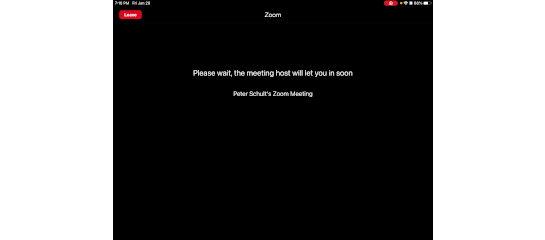
The host needs to let you in still. They’ll get a notification with your and then click a button to let you in.

So, the host has let us in.

The last step is to allow the Zoom app to use your device’s audio, here worded “Call using internet audio.”

Click or touch that.

The audio bit is different from the earlier video choice. THe video choice was just about whether the camera is on: you can see what happens in the meeting whichever choice you make about the camera.

The audio authorization is for both your mic and speakers.

“Why would you want to join without sound?” you might wonder. Well, that’s something I’ll talk about next time.

Of course, after authorizing audio, you can still mute your mic, and for some meetings, everyone is muted by the organizers.

Joining from the ID/Passcode

So that’s how to get into the meeting using the link.

What if the link doesn’t work?

Sometimes it gets corrupted. For instance, it might get incompletely copied and pasted into the email you got, or it might be in a word processing document that corrupted it.

That’s when the meeting ID and passcode are useful.

You’ll need to either write down the meeting ID and passcode or use copy and paste on your device.

I like to copy and paste the passcode, anyway. I figure that since the ID is just a string of digits, that won’t be to confusing to write down and then enter in using a keyboard, but the passcode is a random string of all kinds of characters, and it matters whether each character is upper or lower case.

So here I’m copying the passcode. Off screen, I’ve written down the meeting ID.

Then I go to the home screen and open the Zoom app since everything has to be done by hand with this method.

Then click the Join button.

Now I type in the meeting ID.

Click Join.

Then I just paste the passcode in.

Now I’m in the meeting. At least I’m at the same point I’d be if I had been able to use a link. I still need to go through the steps with deciding about the camera, getting let in by the host, and authorizing audio.

Leaving the meeting

The last topic for today is leaving the meeting.

Within Zoom, touching the screen of a mobile device or moving the mouse on a computer shows the controls.

One of those is a big red button labeled Leave. Press that, then confirm, and you’re done.

Maxwell Board Meeting

Monday, January 11
6:00 to 8:00 PM
Via Zoom

Agenda for the meeting

NOTE: Due to the COVID-19 protocols, this meeting is to be held virtually via Zoom. Visitors should email director@maxwellmemoriallibrary.org no later than Friday, January 8, 2021 by 5 PM with their request to attend. A Zoom meeting invitation will be emailed to them.

The Maxwell Memorial Library Board of Trustees meets on the third Monday of the month at 6 PM unless stated otherwise. The annual meeting is held in October. The Board does not meet in December. The public is welcome to attend. If you would like to address the board or request a topic to be put on the agenda, please contact the library director at director@maxwellmemoriallibrary.org at least two weeks before the meeting. The agenda is posted online one week before.

Board of Trustees Meeting

Monday, November 16
6:00 to 8:00 PM
Via Zoom

Agenda for the meeting

NOTE: Due to the COVID-19 protocols, this meeting is to be held virtually via Zoom. Visitors should email director@maxwellmemoriallibrary.org no later than Friday, November 13, 2020 by 5 PM with their request to attend. A Zoom meeting invitation will be emailed to them.

The Maxwell Memorial Library Board of Trustees meets on the third Monday of the month at 6 PM unless stated otherwise. The annual meeting is held in October. The Board does not meet in December. The public is welcome to attend. If you would like to address the board or request a topic to be put on the agenda, please contact the library director at director@maxwellmemoriallibrary.org at least two weeks before the meeting. The agenda is posted online one week before.

Maxwell Board Meeting

Monday, October 19
6:00 to 8:00 PM
Virtual program on Zoom
Free
Request Zoom invitation if you would like to attend

Note: Due to the COVID-19 protocols, this meeting is to be held virtually via Zoom. Visitors should send an email to director@maxwellmemoriallibrary.org no later than Friday, October 16, 2020 by 5 PM with a request to attend. A Zoom meeting invitation will be emailed to them.

The Maxwell Memorial Library Board of Trustees meets on the third Monday of the month at 6 PM unless stated otherwise. The annual meeting is held in October. The Board does not meet in December. The public is welcome to attend. If you would like to address the board or request a topic to be put on the agenda, please contact the library director at director@maxwellmemoriallibrary.org at least two weeks before the meeting.

The agendas for both the Annual Meeting portion and the October Monthly Meeting are available here.

Maxwell Board meeting

Monday, September 21
6:00 to 8:00 PM
Virtual program on Zoom
Free
Request Zoom invitation if you would like to attend

Note: Due to the COVID-19 protocols, this meeting is to be held virtually via Zoom. Visitors should send an email to director@maxwellmemoriallibrary.org no later than Friday, September 18, 2020 by 5 PM with a request to attend. A Zoom meeting invitation will be emailed to them.

The Maxwell Memorial Library Board of Trustees meets on the third Monday of the month at 6 PM unless stated otherwise. The annual meeting is held in October. The Board does not meet in December. The public is welcome to attend. If you would like to address the board or request a topic to be put on the agenda, please contact the library director at director@maxwellmemoriallibrary.org at least two weeks before the meeting. The agenda is posted online one week before.

Maxwell Board meeting

Monday, August 17
6:00 to 8:00 PM
Virtual via Zoom

Note: Due to the COVID-19 protocols, this meeting is to be held virtually via Zoom. Visitors should email director@maxwellmemoriallibrary.org no later than Friday, August 14, 2020 by 5 PM with their request to attend. A Zoom meeting invitation will be emailed to them.

The Maxwell Memorial Library Board of Trustees meets on the third Monday of the month at 6 PM unless stated otherwise. The annual meeting is held in October. The Board does not meet in December. The public is welcome to attend.

If you would like to address the board or request a topic to be put on the agenda, please contact the library director at director@maxwellmemoriallibrary.org. at least two weeks before the meeting. The agenda is posted online one week before.