Creating ideal passwords: Part 1, Basics

The Ideal Computer Password

The Ideal Computer Password is a string of characters that

  1. Is completely random and
  2. You use for only 1 account, but
  3. You can remember easily and exactly (including where you used upper-case and lower-case letters) and
  4. No one else in the world would ever guess, even if they know you and various details about your life.

Having thus established that Ideal Computer Passwords are even rarer than unicorns, let’s move on to some tricks for strong passwords that will work well enough.

And though my framing of the ideals in absolute terms was completely tongue-in-cheek, I’m going to be keeping these ideals in mind as useful guides for password creation.

Why websites torment you with “You need to use a @&$%! character”

Today I’ll discuss the nitty-gritty of secure passwords: password length, the character set to use, and strings not to use.

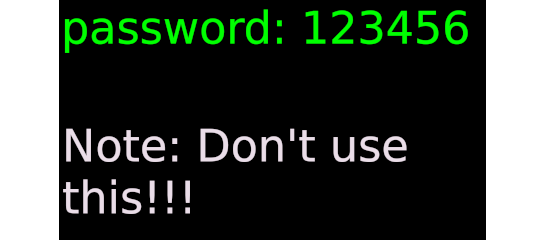
NordPass and a partner company that does data breach research evaluated a database of passwords to develop a list of the “Top 200 most common passwords of the year 2020.” I suggest looking at it (it’s actually less NSFW than you might expect) because not all the entries are lazy attempts to set passwords with minimal thought.

To be fair to the people setting passwords on online accounts, we aren’t told what proportion of these passwords were from throw away “accounts” that you’re forced to set up to read an article for free (for example), so it’s worth keeping the salt handy if asked to panic about the “fact” that the CEO of your bank “might” use 123456 (2020’s #1 entry) for their password to the bank’s computer system.

At the same time, as you get down towards #200 on the list, you start to notice entries that might not be obviously bad choices for a password. I mean, even someone new to computers could immediately see that 123456 would be crackable, but what’s clearly wrong with azerty or ginger?

Mike Chu has an article “Password Best Practices: The SIMPLE Way to Get It Right” where he gives a list of some traits of secure passwords:

  1. Longer than 15 characters
  2. No part of it exists in a dictionary of any language
  3. No part of it exists in any common or breached password lists
  4. Contains uppercase letters, lowercase letters, numbers, and special characters/symbols

Since individual letters have entries in many (most?) dictionaries, I think we have to interpret no part to mean ‘no “word”‘ where I’m being deliberately vague about what I mean by word.

The idea behind the list is to get off-road, as it were, so that hackers can’t reduce the universe of possible password strings to the universe of strings in commonly available lists. And now we can see what might be some problems with ginger, for example:

  1. It has only 6 characters (6 ≤ 15)
  2. Ginger is a word likely to be in most dictionaries of English
  3. While the violation of trait #3 might not have been predicted (hence the nonobviousness of ginger‘s insecure status), we now know that it is on at least 1 list of breached passwords
  4. It uses only lowercase letters for its characters

Since we’ve now seen what not to do for creating passwords, next time I’ll get into some techniques that can help with creating them.

Computer security series

The Maxwell Board suggested that I do some programs on computer and internet safety. Since that is a topic I like to revisit periodically but we aren’t ready for in-person programs yet, I thought I’d present a “program” as a series of posts over the next few weeks.

Today’s post will be an overview to let you know what to expect.

Broadly speaking, the topics in the series will be within 3 areas:

  1. Information security
  2. Privacy
  3. Safety

Information security is concerned with nuts-and-bolts issues of making sure that you remain in control of the information on your devices and of your online accounts. Here I’ll talk about password management, phishing scams, and ways to keep malware off your devices.

What I’m referring to as Privacy is related to security but less mechanical. Issues here relate to things like cleaning up your workspace after working on public computers (like those at Maxwell) or managing who can see your posts on social media and interact with you there.

Privacy seques into Safety: preventing online harassment, stalking, extortion, and other threats that could affect your physical or mental well-being. Filtering online content (for yourself or for your kids) often gets classified here as well.

My next post here will be start with password management. I’ll look at how to create good passwords and start in on how to keep track of the 1,771,561 passwords we all need in the modern age.


Image credits:
Locked Desktop Computer Cartoon by Free Clip Art
License: CC BY-SA 4.0