Broadband Internet

The New York State Department of Public Service is conducting a study of broadband internet access in New York. One part of their data gathering for the study involves a short survey (takes less than 10 minutes) regarding how people use (or wish they could use) broadband services in the home, at work, and in the community. Along with the survey, you can also run an optional broadband speed test. The URL is https://www.empirestatebroadband.com/

Consumer Financial Protection Bureau

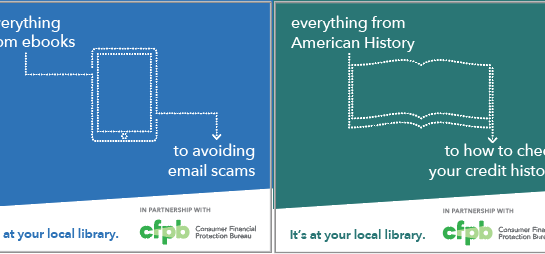
The Consumer Financial Protection Bureau (CFPB) is working with libraries to let people know about the resources they offer for helping people manage finances to prepare for or deal with natural disasters and scams.

You can visit their site at https://www.consumerfinance.gov/prepare to see how to:

  • Prepare your finances before problems arise
  • Protect or recover money
  • Rebuild after a disaster or scam

Lynda.com has become LinkedIn Learning

LinkedIn acquired Lynda.com, so patrons who were using the Lynda.com app will need to download the free LinkedIn Learning app and set it up. Here are the instructions:

  1. Before using the app, set up your account online using a web browser (you’ll need your library card’s barcode and PIN)
  2. Download the free LinkedIn Learning app onto your mobile device from the appropriate place (The App Store for iOS/Google Play for Android)
  3. When you open the app, choose Sign In, even if you have never used Lynda.com or LinkedIn Learning
  4. Leave the email box blank and click on blue text Sign in with your library card
  5. The app will take you to a page that asks for your library’s ID. Enter onondagacounty in the text box at the end of the address.
  6. You’ll then be asked for your email address, library card barcode number, and PIN

LinkedIn Learning is an extensive collection of award-winning online courses and video tutorials to help you learn business, technical and creative skills. Achieve your personal and professional goals. Courses are taught by recognized industry experts. Learn what you want, when you want, from our entire library. Build custom playlists to organize courses you want to watch.  Watch courses on your computer, tablet, or mobile device. Switch back and forth without ever losing your place.

Overdue notices

In line with results from the REALM Project, OCPL libraries have been quarantining returned material for 7 days instead of the 3 or 4 day period we had used for a while. Unfortunately, adjusting the time period the computer waits before sending overdue notices out had gotten overlooked, so many patrons were receiving overdue notices for material they had returned but that hadn’t yet been checked in.

Downtown has now adjusted the schedule for overdue notices to be in line with the quarantine procedure, so there shouldn’t be any more premature notices. The downside to this, though, is that if you actually do have an overdue item, you won’t get a notice until it’s already 10 days overdue.

One solution is to keep track of due dates for your items by regularly logging into your account through OCPL’s catalog. Another possibility is to set your account so that you receive a notice a few days before items come due. To do this you’ll need to go your account settings page. You can get there by using the link just given and logging in, or you can log in as usual and click your name near the top of the sidebar under the My Account heading. You should see something like this:

Click on the arrowhead next to Contact Information and Preferences. That will open a long list of settings. Scroll to the bottom, check the box for Almost overdue reminder notices, and click the Submit Change button.

Now you will get a notification a few days before items come due.

Low-cost Internet

The offer locator tool at EveryoneOn helps people find low-cost internet offers. Type in your zip code and check any applicable boxes about household status. The tool then shows programs in your area that you might qualify for.

EveryoneOn is a nonprofit with the goal of getting everyone in the US connected to the internet and technology.

Online Security

Default Thumbnail

The FBI is reminding us that various scammers are preying on people online during the crisis. Their release talks about extra vigilence with respect to some of the garden variety scams one sees every day like phishing and spoofed email but also notes crisis-specific frauds like promotion of fake virus tests or fake cures. You can see the full press release at the FBI’s Internet Crime Complaint Center’s Website.

Preventing ransomware

Default Thumbnail

In light of the ransomware attack on OCPL’s systems, here’s a list of the basic recommendations from computer security experts to reduce the chances of having your devices subjected to an attack:

  • Install recommended updates to all your software once the updates are released.

    The best way to do this is to have your settings set to automatically install updates.

  • Don’t install new software unless you know what it does and can trust the source you’re getting it from.
  • Similarly, don’t grant administrative privileges to software unless you know why you need to.
  • Install antivirus software and keep it up-to-date.
  • Backup frequently.

    As with software updates, it’s best if you have a way of automating the backup process.

Source: Fruhlinger, Josh. “What Is Ransomware? And 4 Steps to Prevent These File-Locking Attacks.” CSO Online (blog), December 19, 2018. https://www.csoonline.com/article/3236183/what-is-ransomware-how-it-works-and-how-to-remove-it.html

Phone Scams

Default Thumbnail

You may have gotten “sales” calls that caller ID showed as coming from your own neighborhood (or not too far away) but turned out not to be from the number that was shown. Perhaps you called that number to give the scammers a piece of your mind (as one understandably irate patron recently did after getting such a call that showed Maxwell as the purported caller), only to find that the people at that number had no idea about the call.

The Federal Trade Commission (FTC) has a few articles and blog posts about this sort of scam:

If you get such a call, the FTC recommends reporting it to them and to the FCC: